| Support Category: LMS Navigation |
| Specialist Notes: |
Users may need to access their score results or history for 'Procurement and Logistics - Test' and need step-by-step instructions to locate the information.
| Standard Response: |
Scores for the 'Procurement and Logistics - Test' can be viewed by following these steps:
Go to the Transcript page locate the Procurement and Logistics - Test. There is a blue button to the right of the course title and a down arrow next to that. Click the down arrow and choose Open Curriculum from the drop-down menu that appears.

Click the button next to Procurement And Logistics that says View Training Details.

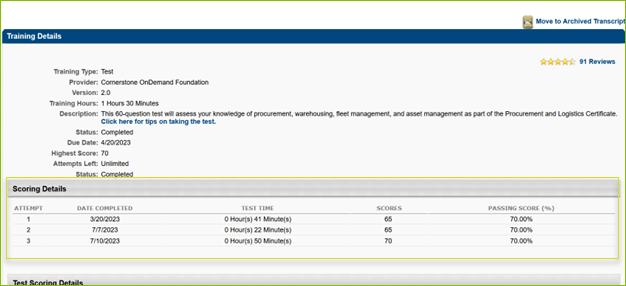
The Scoring Details section will show the scores for the test.