| Support Category: LMS Navigation |
| Specialist Notes: |
| Canned Response Code: /DR02 |
| Standard Response: |
To launch courses within a curriculum, please follow these steps:
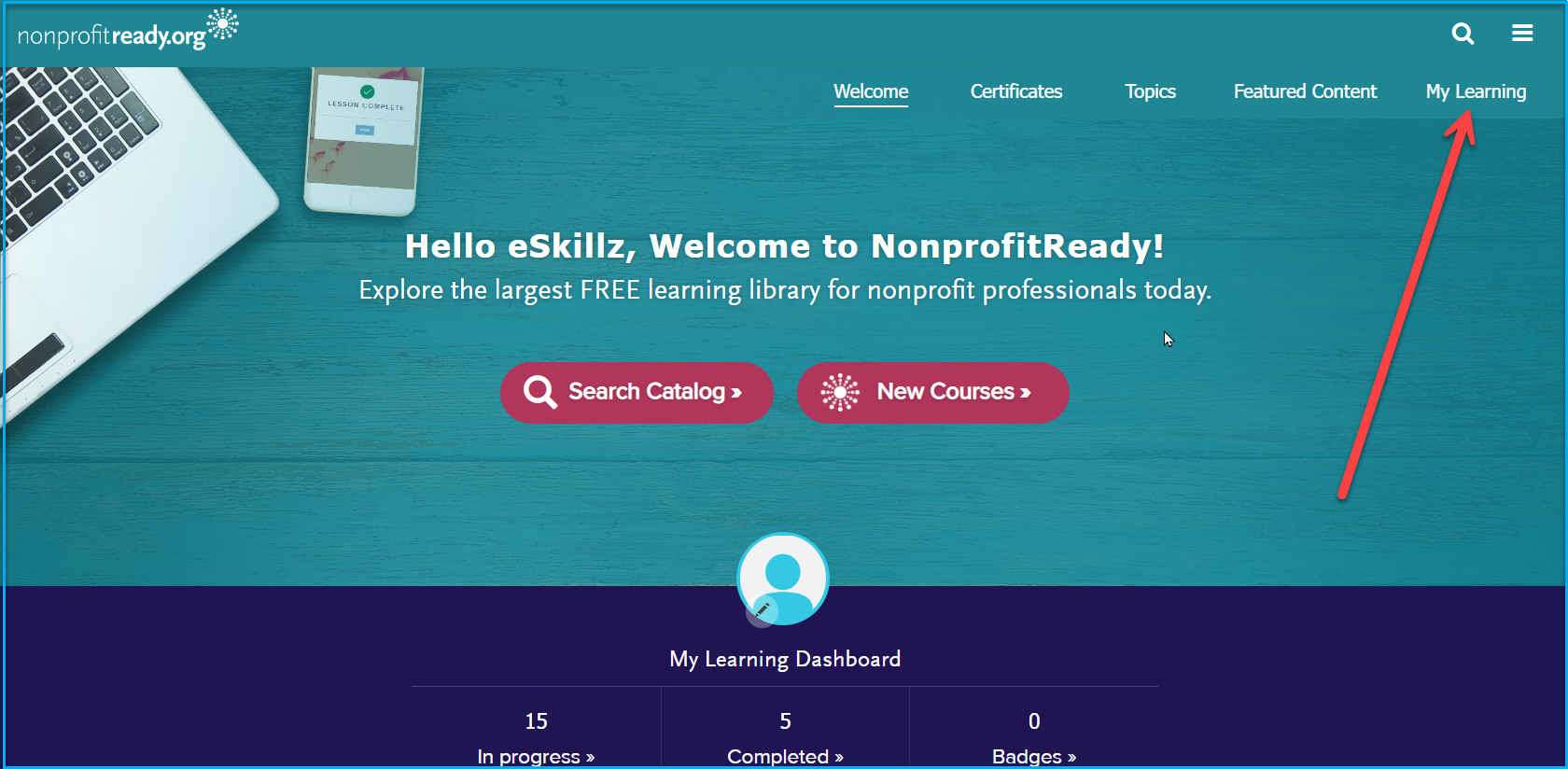
1. From your home page, click on 'My Learning'.
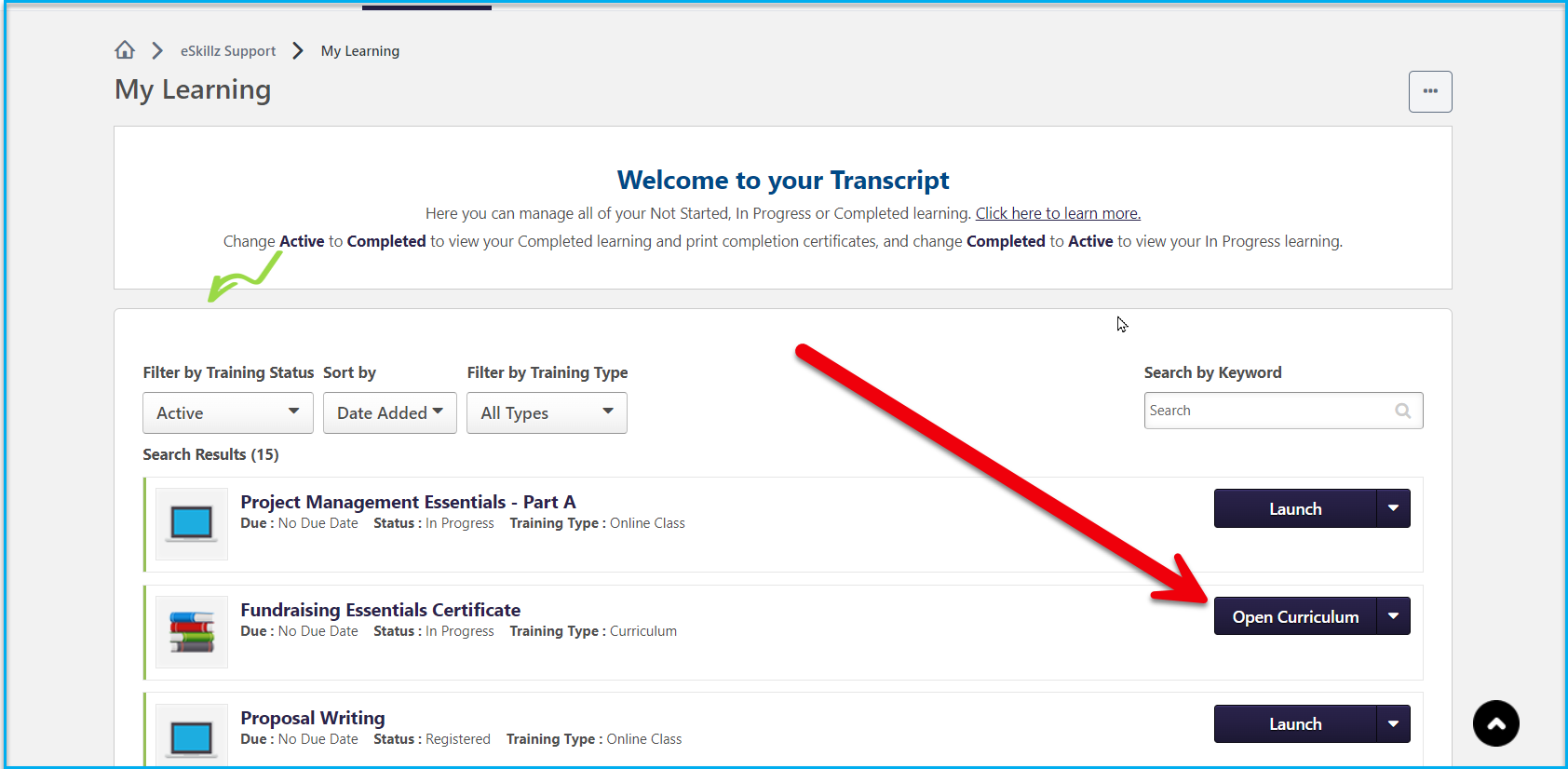
2. From the 'Active' page of your 'My Learning', click on 'Open Curriculum.'
3. Then click on the 'Launch' button on the right side of the corresponding course you wish to take.
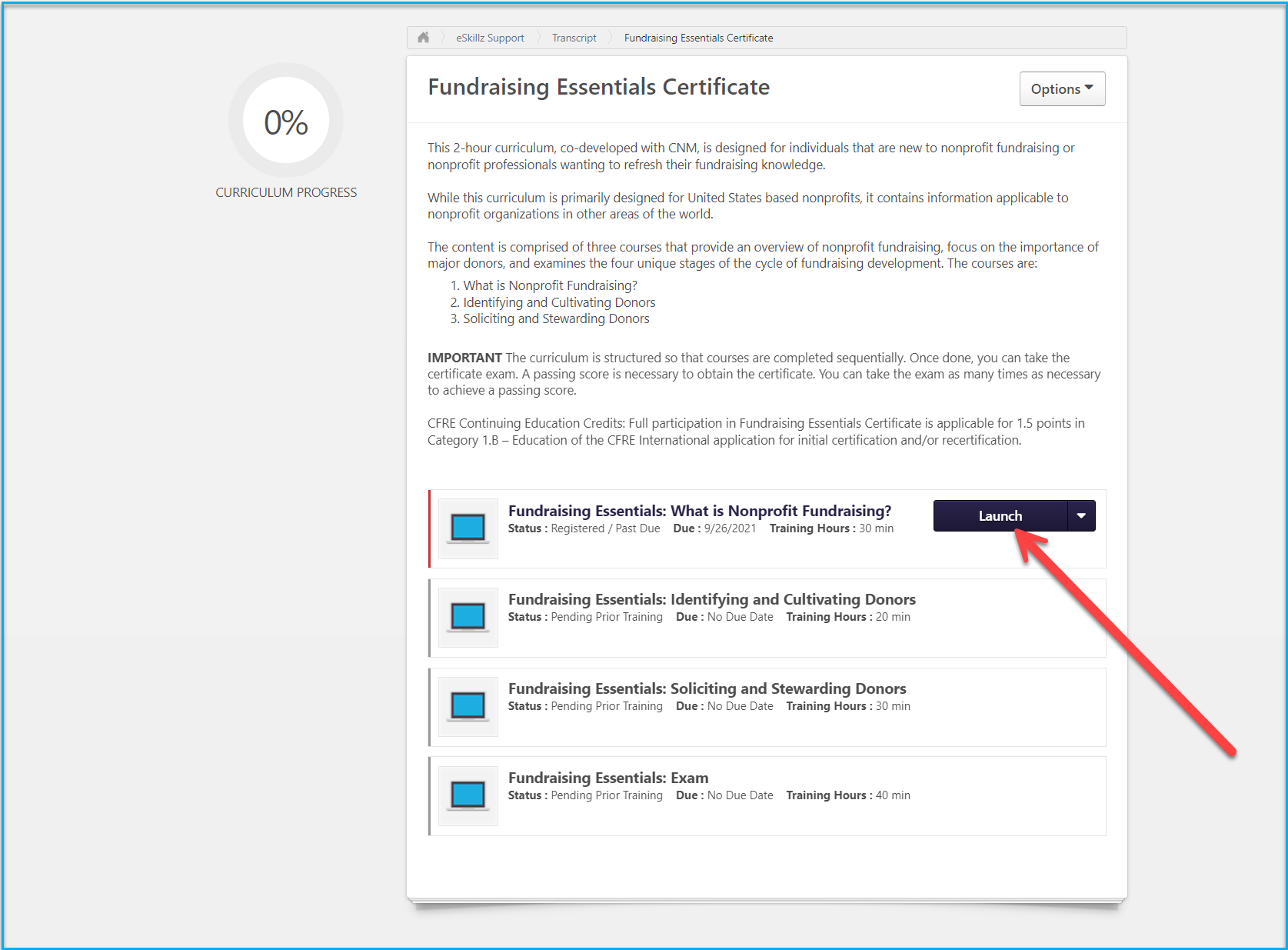
Note: Some curricula require the completion of course modules in sequential order (as shown in the image above).
