| Support Category: LMS Navigation |
| Specialist Notes: |
Should a user come into chat requesting a list of the training which they have "Saved for Later", please provide this SR.
| Canned Response Code: /DR04 |
| Standard Response: |
If you have selected the 'Save for Later' option for training, you will be able to locate your Save for Later list by doing the following:
1. Log into your account.
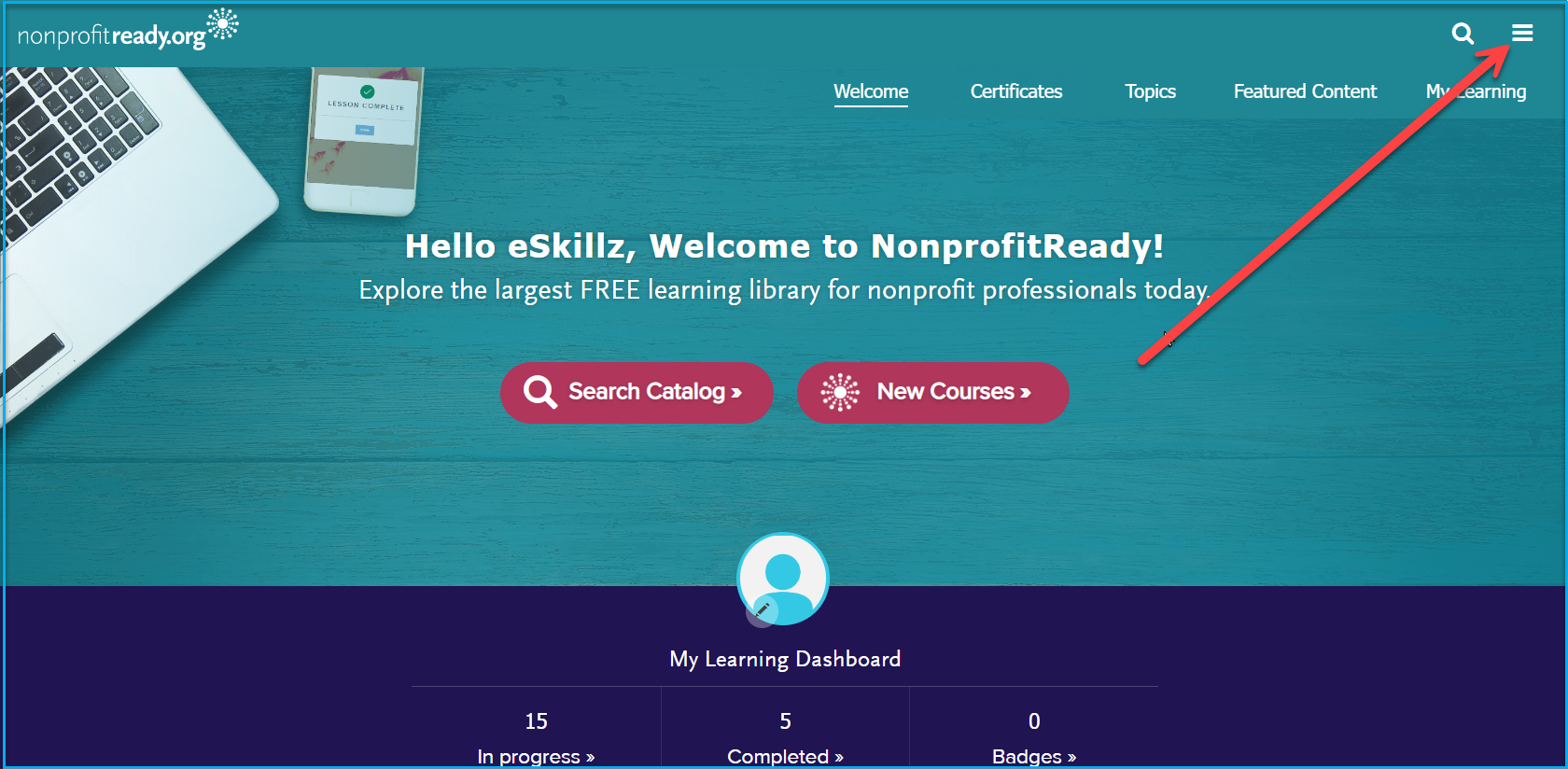
2. Click on the three horizontal lines on the top right of your home screen.
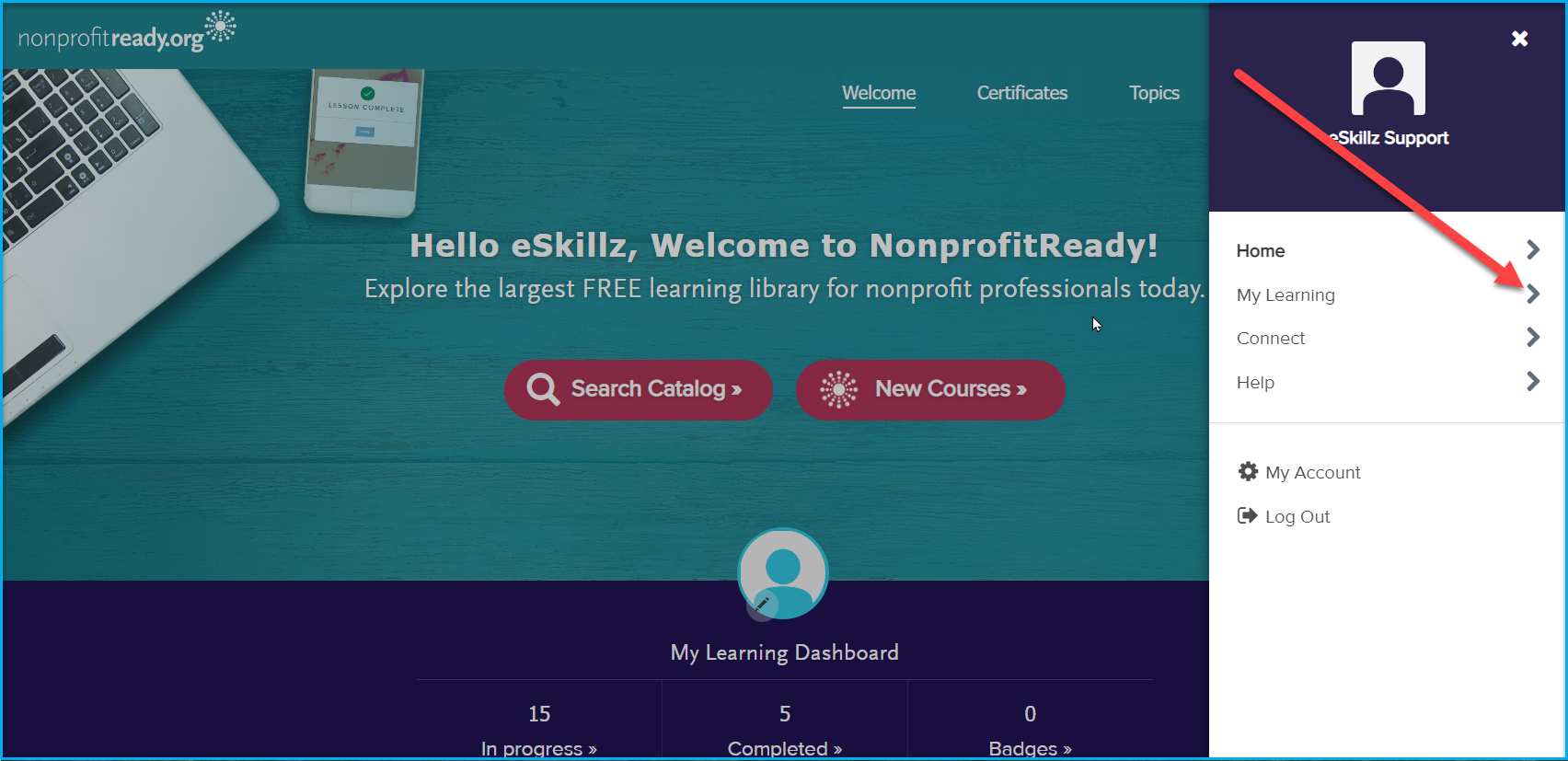
3. Select 'My Learning' from the list.
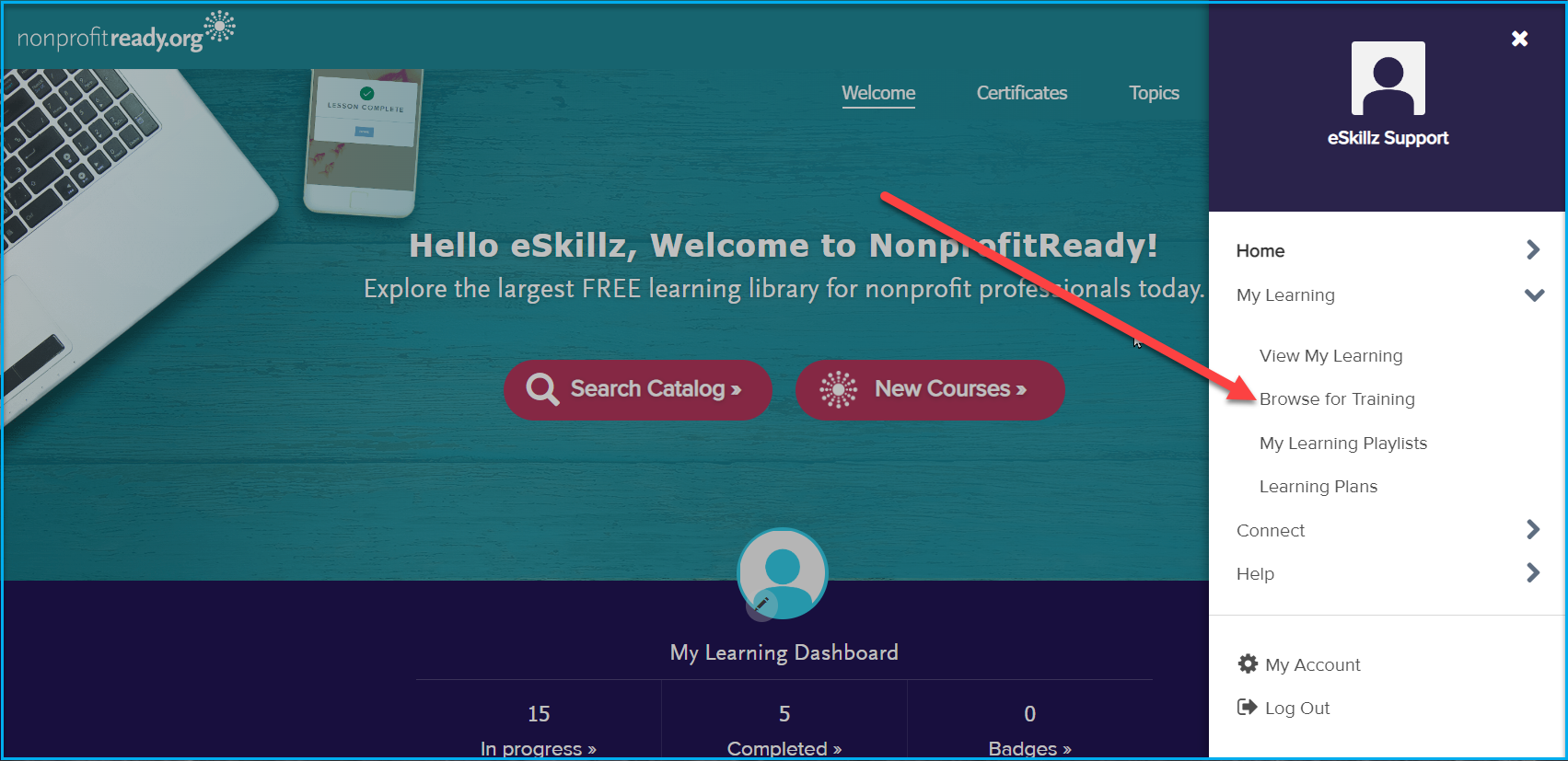
4. Click on 'Browse for Training' from the drop-down.
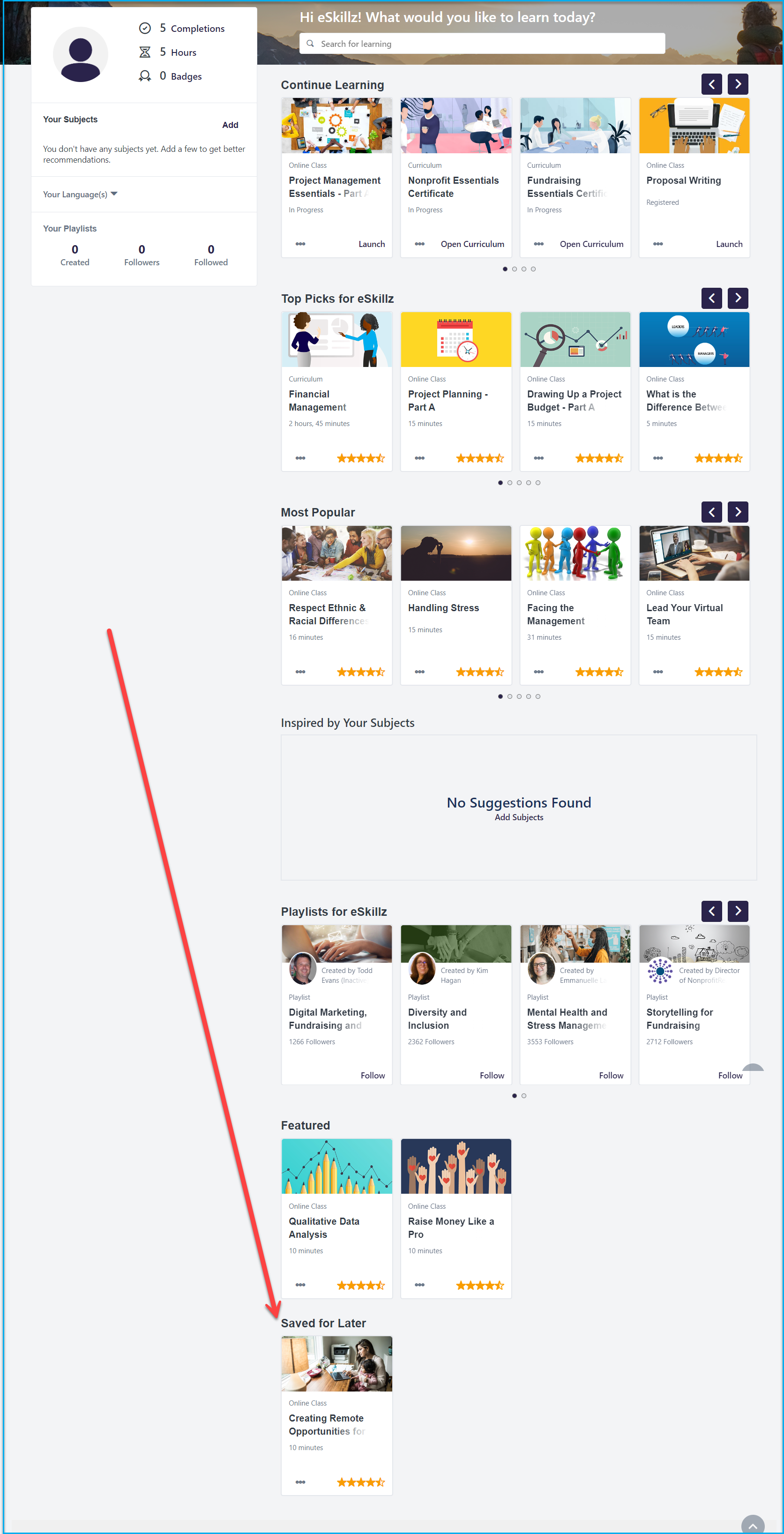
5. A new screen will open, scroll all the way to the bottom of the screen there you will see a list of your 'Saved for Later' training.